Running a Shopify store without SEO is like opening a shop in a back alley and hoping customers stumble upon it. The numbers tell a stark story: 43% of all ecommerce traffic comes from organic Google search, making it the single largest source of visitors to online stores. Even more compelling, 23.6% of eCommerce orders originate from organic search traffic, directly linking SEO to nearly a quarter of all revenue.
The financial case grows stronger when you examine returns. Studies show average e-commerce SEO ROI reaches 3.2x across channels, outpacing Google Ads at 1.9x and Meta Ads at 1.4x. This compounds over eight to nine months as your content gains authority and rankings improve. Another analysis found SEO delivers 8x ROI compared to PPC's 4x, with 70% of marketers confirming it generates more sales than paid channels.
For Shopify specifically, the opportunity remains largely untapped. Data shows approximately 60% of Shopify stores are optimized for search engines, leaving 40% missing the visibility their competitors capture. More striking, SEO-optimized Shopify stores achieve conversion rates up to 250% higher than non-optimized ones, particularly through enhanced product images and descriptions. With organic traffic contributing about 13.81% to Shopify store visits, building sustainable search visibility becomes essential for competitive growth through 2026 and beyond.
Also Read:
Table of Contents Show

5 Key Takeaways
Shopify SEO is a major revenue driver
Organic search is one of the biggest traffic and sales channels for ecommerce stores, which makes SEO a growth strategy, not just a visibility tactic.Shopify gives you a strong technical starting point, but not a complete SEO strategy
The platform handles things like sitemaps, canonical tags, mobile responsiveness, and SSL, but store owners still need to actively optimize titles, descriptions, images, URLs, internal links, and content.Product and collection page optimization matters most
Your biggest SEO wins often come from improving product pages and collection pages with better keyword targeting, unique copy, stronger metadata, image optimization, and schema markup.Technical SEO and site speed directly affect rankings and conversions
Duplicate content, slow load times, poor mobile performance, and indexing issues can hold a Shopify store back, even if the products are great. Strong technical SEO supports both discoverability and sales performance.Long-term Shopify SEO success requires more than on-page changes
To compete well, stores need a combination of content marketing, internal linking, structured site architecture, off-page authority building, and ongoing measurement through tools like Google Search Console and analytics.
A SEO Agency Partner is
MORE Affordable than you think.
Discover How Our Customers Grow Their Brands, Outshine Competitors, and Attract New Business
Understanding Shopify's Built-In SEO Capabilities
Shopify handles several technical SEO requirements out of the box, making it easier for store owners to focus on content and strategy rather than complex configuration. Shopify automatically generates a sitemap at yourstore.com/sitemap.xml that updates as you add products and content. The platform implements canonical tags, provides mobile-responsive themes, and offers HTTPS encryption through free SSL certificates.
This foundation gives you a significant head start compared to building a custom ecommerce site from scratch. However, understanding what Shopify handles automatically versus what requires your attention makes the difference between mediocre and exceptional search performance.
What Shopify Handles Automatically
Shopify page titles serve as default H1 tags, automatically creating proper heading structures when you optimize titles. The platform provides clean URLs using hyphens, breadcrumb navigation in many themes, and basic structured data for your homepage and product information. Every Shopify theme includes mobile-responsive design by default, meeting Google's mobile-first indexing requirements.
The platform also manages robot.txt files automatically and implements canonical tags to manage duplicate URL variations like products accessible via multiple categories or pagination, along with http/https differences. These technical elements work behind the scenes, creating a solid foundation for your optimization efforts.
SEO Features You Need to Configure Manually
While Shopify automates technical foundations, critical ranking factors require your direct attention. Meta titles and descriptions for products, collections, and pages need manual optimization with target keywords and compelling copy. Product images need descriptive filenames and alt text that you must add yourself, as many stores upload images with generic names missing opportunities to rank in image search.
URL customization requires manual intervention through the Search Engine Listing Preview section when editing pages. Internal linking strategy demands ongoing attention, as you'll need to strategically link from blog posts to products, between related items, and from collections to subcategories.
You must add unique, user-focused content like detailed product descriptions to individual pages, as Shopify products often lack them by default, hindering indexing and rankings. You'll also need to customize theme-specific SEO elements like metadata, robots.txt, and structured data directly through Shopify Dev Docs guidance to control crawler access and enhance rich results.
Shopify SEO Limitations to Know Upfront
Shopify's closed ecosystem creates unavoidable constraints that affect advanced SEO strategies. The platform enforces specific URL structures including /products/, /collections/, and /pages/ in paths. You can't remove these segments, potentially diluting keyword relevance compared to cleaner URLs.
Collection pages can create duplicate content challenges when products appear in multiple collections. While Shopify implements canonical tags to mitigate this, search engines sometimes index the wrong version. Shopify's blog functionality remains basic compared to WordPress, you're stuck with limited options for complex content strategies involving custom taxonomies or advanced internal linking structures. Theme customization has boundaries too, requiring liquid template knowledge for code edits that risk breaking during updates.
Shopify SEO Foundations: Getting Started Right
Building a successful Shopify SEO strategy starts with understanding what your potential customers actually search for and how competitors position themselves. Rushing into optimization without this foundation wastes time targeting wrong keywords or copying strategies that don't fit your niche.
Real results come from systematic implementation. A US apparel store for kids' clothing demonstrated this through comprehensive optimization. Working with SeoProfy, the store executed technical SEO fixes including URL structures and internal linking, optimized collection and product pages with SEO-friendly filters for sizes and product types, conducted keyword research for commercial intent, and implemented white-hat link building. Over six years from July 2018 to October 2024, results were striking: organic traffic surged +30,400% from 154 to 47,094 monthly visits; top-3 keywords increased from 27 to 1,891; referring domains grew from 9 to 687; and top-100 ranking pages expanded from 241 to 887.
Keyword Research for Ecommerce Stores
Effective keyword research balances search volume, commercial intent, and competition level. Start by brainstorming seed keywords from your products, categories, and customer conversations. Tools like Google Keyword Planner, Ahrefs, or SEMrush expand these seeds into comprehensive lists showing monthly searches and difficulty scores.
Focus on keywords with commercial intent alongside high search volume. Someone searching "buy organic face cream" shows much stronger purchase intent than "what is face cream." Product-focused keywords like "best running shoes for flat feet" convert at higher rates despite potentially lower volume.
Don't ignore informational keywords entirely. Prospects search terms like "how to choose yoga mat" or "benefits of blue light glasses" during early research stages. Creating content around these queries builds trust and captures visitors before they reach decision stages.
Run comprehensive competitor keyword gap analysis using tools like SEMrush or Ahrefs. Identify terms competitors rank for (especially positions four through ten) that your store currently misses. Filter for keywords with balanced search volume, low difficulty scores between zero and 30, and clear ecommerce intent.
Map keywords to search intent throughout your optimization process. Study actual search results to understand whether Google interprets queries as navigational, informational, or transactional. Match this intent with appropriate page types: product pages for buying keywords, blog posts for informational queries, collection pages for category searches.
Competitive Analysis for Shopify SEO
Understanding how competitors achieve their rankings reveals both opportunities and pitfalls to avoid. Start by identifying your top five to ten competitors in search results for your target keywords. Study their site structure, noting how they organize products into categories, implement breadcrumbs, and structure URLs.
Check their backlink profiles to understand link building strategies. Tools reveal which sites link to competitors, the anchor text used, and whether links come from directories, guest posts, or digital PR campaigns. Review on-page optimization across competitor product and collection pages: their title tags, meta descriptions, heading structures, and keyword usage patterns.
Study their content marketing approaches. What blog topics generate traffic? How frequently do they publish? Look for gaps where competitors provide thin content or ignore certain topics entirely. These represent opportunities to create superior resources that attract both links and direct traffic.
Monitor their technical implementations including site speed, mobile optimization, and structured data usage. Tools like Google PageSpeed Insights and schema markup validators reveal whether competitors invest in technical SEO.
Setting Up Your Store's SEO Foundation
Before optimizing individual pages, establish site-wide settings that influence search performance. Start by configuring your store's title and meta description in Shopify's general preferences. Set up Google Search Console and Google Analytics integrations immediately. These free tools provide insights into search performance, technical issues, and user behavior that guide ongoing optimization.
Create a hierarchical site architecture linking from your homepage to major categories, then to subcategories and products. This structure distributes authority efficiently while improving crawlability. The three-click rule applies here: visitors should reach any product within three clicks from the homepage.
Build clean, keyword-rich URLs for collections and products before publishing. After launching, submit your sitemap to Google Search Console and Bing Webmaster Tools for better crawling and indexing. Configure your robots.txt file to prevent crawling of checkout pages, customer account sections, and other non-indexable areas.

Optimizing Shopify Product Pages for Search
Product pages represent your store's primary revenue drivers, making their optimization critical for both rankings and conversions. Each product page competes not just with other Shopify stores but with Amazon listings, manufacturer sites, and marketplace platforms.
Research shows page load speed directly impacts conversion rates, with drops of 0.3% for every additional second of load time. Websites loading within one second convert three times better than those taking five seconds. Beyond speed, user-generated content engagement doubles conversion rates when visitors actively interact with reviews and photos.
Writing SEO-Optimized Product Titles and Descriptions
Product titles must balance keyword optimization with user appeal. Include your primary keyword near the beginning while maintaining natural readability. A title like "Organic Lavender Face Cream - Natural Skincare for Sensitive Skin" incorporates target keywords while clearly communicating product benefits. Keep titles under 60 characters to prevent truncation in search results.
Product descriptions require substantially more depth than most stores provide. Aim for at least 300 words of unique content highlighting features, benefits, specifications, and use cases. Never copy manufacturer descriptions since these create duplicate content that Google penalizes. Write original copy that addresses customer questions, overcomes objections, and naturally incorporates secondary keywords throughout.
Structure descriptions for easy scanning using short paragraphs, bullet points for key features, and clear headings. Include specific measurements, materials, care instructions, and other technical details that reduce customer uncertainty. Weave keywords naturally within descriptions rather than forcing unnatural phrases. Write for humans first, search engines second.
Crafting Effective Meta Titles and Descriptions
Meta titles and descriptions function as your ad copy in search results, directly influencing click-through rates. Craft meta titles between 50 and 60 characters including your primary keyword and a compelling value proposition. Use formulas like "[Product Name] - [Key Benefit] | [Brand Name]" or "[Keyword] - [Unique Selling Point]."
Meta descriptions provide 155 to 160 characters to expand on your title. Include primary and secondary keywords naturally while highlighting unique benefits. Add clear calls to action like "Shop now," "Free shipping," or "Read reviews." Use power words that evoke emotion or urgency: "premium," "exclusive," "limited edition," "certified," "guaranteed."
Test different meta description approaches to identify what resonates with your audience. Monitor click-through rates in Google Search Console to identify underperforming pages needing description rewrites. Never leave meta titles or descriptions blank, forcing Google to generate snippets automatically.
Optimizing Product URLs
Clean, descriptive URLs improve both user experience and search performance. Shopify automatically generates URLs from product titles, but you should customize these handles before publishing. Edit the URL slug to remove unnecessary words while retaining your primary keyword.
Keep product URLs short and focused. A URL like yourstore.com/products/organic-lavender-face-cream works better than yourstore.com/products/buy-the-best-organic-lavender-face-cream-for-sensitive-skin-online-today. Remove stop words like "the," "and," "for," and "a" that add length without value.
Include your target keyword within the URL when possible. Maintain consistency in URL structures across similar products. Never change product URLs after publishing unless absolutely necessary, as URL changes require 301 redirects that involve some authority loss.
Product Image SEO
Images significantly impact both user experience and search visibility. Start with descriptive file names before uploading. Rename "IMG_1234.jpg" to "organic-lavender-face-cream-50ml.jpg" to provide context for search engines.
Add comprehensive alt text to every product image describing what the photo shows. Alt text serves accessibility purposes while providing keyword opportunities. Write natural descriptions like "Organic lavender face cream in 50ml glass jar with silver lid" rather than keyword-stuffed phrases.
Compress images before uploading to reduce file sizes without sacrificing visual quality. Tools like TinyPNG or Shopify apps handle compression automatically. Implement lazy loading to defer off-screen image loading until users scroll, improving initial page load speeds.
Include multiple high-quality images showing products from various angles. Research indicates personalized recommendations increase conversions by 4.5x, and comprehensive imagery contributes by helping customers visualize products accurately.
Implementing Product Schema Markup
Schema markup feeds precise information to search engines about product details including price, ratings, reviews, and availability status. This specialized vocabulary helps search engines better understand your product pages, improving ranking potential while enabling rich snippets in search results.
Product schema should include core fields like name, image, description, SKU, brand, price, currency, and availability. Add review aggregate ratings when you have customer reviews, as star ratings in search results significantly boost click-through rates.
Shopify automatically adds basic product schema, but you'll need apps or custom code for complete implementation. Test your schema implementation using Google's Rich Results Test tool. This validator identifies errors or missing fields that prevent rich snippets from displaying.
Beyond product schema, implement breadcrumb structured data showing your site hierarchy. FAQ schema works well for products with common questions, potentially displaying those FAQs directly in search results. Monitor how your rich snippets perform in Google Search Console.
Optimizing Shopify Collection Pages
Collection pages function as category hubs organizing products around themes, types, or attributes. These pages often drive significant traffic for category-level keywords like "women's dresses" or "gaming laptops" that have higher volume than individual product searches.
Quick wins are possible with focused collection optimization. A boutique e-commerce store implementing AI-powered autonomous content generation demonstrated this effectively. Agents24x7 helped them target long-tail keywords for blog posts, product descriptions, and collection pages, along with automatic schema markup, canonical tags, and optimized publishing schedules. Within just 30 days, organic traffic increased 50% from 2,000 to 3,000 monthly sessions; indexed pages grew from 45 to 130; 200 keywords ranked in top 50 with 15 in top 10 and 45 in top 20; conversion rate rose from 1.8% to 2.2%; delivering a 4,185% ROI on £20/month investment.
Collection Page Content Strategy
The biggest collection page mistake is leaving them as image-only grids without descriptive text. Search engines need contextual content to understand page topics and determine ranking relevance. Add concise introductory paragraphs of 40 to 60 words above product grids incorporating primary and secondary keywords naturally.
Expand beyond minimal intro text with expandable sections covering topics like buying guides, size charts, care instructions, or styling tips. This additional content demonstrates expertise while targeting long-tail informational keywords. Include FAQs addressing common questions about products within the collection, as FAQ schema can generate rich snippets in search results.
Add unique content distinguishing your collection from competitors. Highlight what makes your selection special, whether it's exclusive brands, sustainability commitments, expert curation, or specific use cases your products serve. Update collection content seasonally or when introducing new product lines to signal active maintenance to search engines.
Collection URLs and Navigation
Structure collection URLs using clear hierarchies that reflect your site architecture. A logical pattern might be yourstore.com/womens-clothing/dresses/casual-dresses, showing breadcrumb organization from broad to specific.
Keep collection URLs concise, removing unnecessary words while retaining clarity. Target your primary keyword within the URL when possible. Set up breadcrumb navigation showing the path from homepage through category levels to current collections, as this improves user experience while distributing link equity.
Create a logical navigation hierarchy in your main menu linking to primary collections prominently. Use descriptive, keyword-rich anchor text for internal links. Instead of generic "Click here" links, use specific phrases like "Browse women's running shoes" or "Explore organic skincare products."
Pagination and Sorting Best Practices
Implement SEO-friendly pagination when collections contain numerous products split across multiple pages. Use traditional pagination with individual page URLs rather than infinite scroll, which creates indexing challenges. Add self-referencing canonical tags to paginated pages pointing to themselves, not the first page.
Make sure filters and sorting options don't create duplicate content through multiple URL variations. If your collection allows filtering by color, size, or price range, these filtered views should either use canonical tags pointing to the main collection or be blocked from indexing through robots.txt or noindex tags.
Consider implementing view-all options for smaller collections where displaying all products on one page makes sense. Single-page views eliminate pagination complexity while providing comprehensive content for search engines.
Creating an SEO-Friendly Shopify Site Structure
A well-organized site structure benefits both search engines and users by creating logical pathways through your store. Clear architecture distributes authority effectively, ensures all pages are discoverable, and helps search engines understand relationships between content.
Navigation and Internal Linking Strategy
Design intuitive navigation that reflects how customers think about your products. Main menu links should cover primary categories, while dropdown menus can reveal subcategories and featured products. Keep navigation consistent across pages so visitors always know how to reach major sections.
Use the three-click rule ensuring users can reach any page within three clicks from the homepage. This principle keeps important content accessible while maximizing how authority flows from your homepage through category pages to products.
Strategic internal linking from content to categories and products strengthens authority distribution. Blog posts discussing product types should link naturally to relevant collection pages using descriptive anchor text. Create hub pages for major topics that link to multiple related products and blog posts, establishing topical authority while organizing content clusters around central themes.
Avoid over-linking, which dilutes the value of each individual link. Focus on natural, helpful links that genuinely aid users rather than forcing links to hit arbitrary targets. Use footer navigation strategically for secondary links that don't belong in main menus.
URL Structure Best Practices
Adopt a consistent URL structure from the start, as changing URLs later requires redirects that leak authority. Use short, descriptive paths incorporating primary keywords when possible. Keep URLs lowercase, using hyphens to separate words rather than underscores or spaces.
Remove stop words from URLs unless they're essential for clarity. Avoid date-based URL structures common in blog platforms, as timeless URLs remain relevant forever. Maintain consistent depth across similar page types.
Never use special characters or parameters in URLs unless absolutely necessary. Clean paths like yourstore.com/organic-cotton-tshirt work better than yourstore.com/products?id=12345&cat=apparel.
Creating and Optimizing Your XML Sitemap
Shopify automatically generates your XML sitemap at yourstore.com/sitemap.xml, updating it as content changes. Access your sitemap through a browser to review its structure and contents, checking for any errors or missing pages.
Submit your sitemap to Google Search Console and Bing Webmaster Tools. This proactive submission helps search engines discover new content faster than waiting for natural crawling. Review sitemap indexation regularly through Search Console reports, investigating any pages marked as "Discovered - currently not indexed."
Exclude unnecessary pages from your sitemap using Shopify settings or apps. Cart, checkout, customer account, and policy pages don't need indexing and shouldn't consume crawl budget.
Technical SEO for Shopify Stores
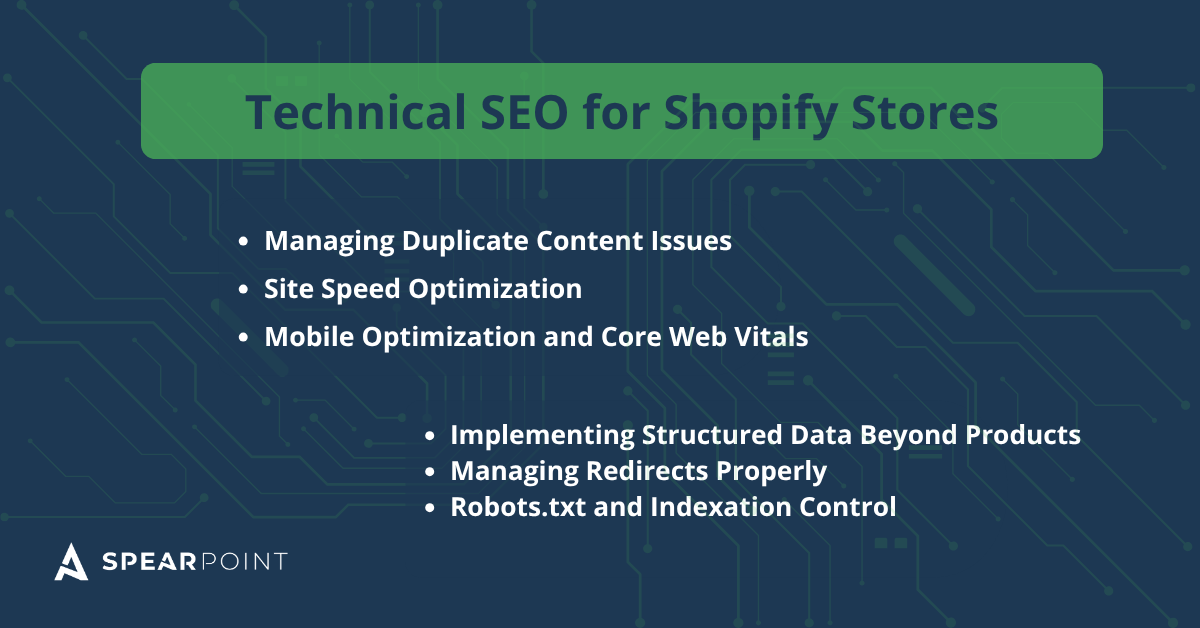
Technical SEO establishes the foundation enabling search engines to crawl, understand, and rank your store effectively. Issues like duplicate content, slow speeds, or mobile problems create obstacles that prevent even excellent content from ranking.
Managing Duplicate Content Issues
Duplicate content problems plague ecommerce sites more than any other site type. Products appearing in multiple collections create different URLs showing identical content. Shopify automatically implements canonical tags pointing to primary product URLs, but you should verify these work correctly.
Product variants for color, size, or style options can create duplicate content if each variant generates separate URLs. Shopify handles this by defaulting to query parameters rather than separate URLs for variants. Verify your theme doesn't create individual URLs for each variant by testing navigation through product options.
Products appearing in multiple collections create inherent duplication challenges. Shopify's canonical tags point to the primary product URL, consolidating authority to one version. Tag pages create similar duplication for tagged products, so avoid heavy tag usage or ensure these pages have noindex tags preventing search engine indexing.
Canonical tags tell search engines which URL version to prioritize when multiple pages show identical or very similar content. Review canonical tags using browser developer tools or SEO audit apps checking the HTML header section. Add self-referencing canonical tags to collection pages pointing to themselves, and implement canonical tags for filtered collection views pointing back to the main collection page.
Site Speed Optimization
Site speed directly impacts both rankings and revenue. Research shows a one-second delay reduces ecommerce conversions by 7%, while sites loading in one second have 3x higher conversion rates than slower sites. Statistics reveal 70.5% of ecommerce sites receive "needs improvement" ratings for Google Lighthouse performance, with average scores of 67 out of 100.
Your Shopify theme forms the foundation of site speed. Lightweight themes with clean code load faster than feature-heavy themes with excessive JavaScript and CSS. When selecting themes, prioritize speed over visual complexity. Test theme demos using Google PageSpeed Insights before committing.
Images typically constitute the largest portion of page weight on ecommerce sites. Compress all images before uploading using tools like TinyPNG or Shopify apps handling compression automatically. Target file sizes under 100KB for product images while maintaining acceptable visual quality. Use next-generation image formats like WebP offering superior compression compared to JPEG or PNG.
Each installed Shopify app adds code to your store potentially slowing load times. Regularly audit installed apps, removing those providing minimal value or redundant functionality. Before installing apps, research their performance impact through reviews and testing. Consolidate functionality using apps handling multiple features rather than single-purpose apps.
Mobile Optimization and Core Web Vitals
Mobile drives approximately 65% of ecommerce traffic, making mobile optimization essential. Google's mobile-first indexing means the search engine predominantly uses mobile versions for ranking and indexing. Mobile-optimized websites are 67% more likely to rank on Google's page one.
Test your store using Google's Mobile-Friendly Test tool and PageSpeed Insights mobile analysis. Core Web Vitals measure specific user experience aspects: Largest Contentful Paint (loading), First Input Delay (interactivity), and Cumulative Layout Shift (visual stability). Target LCP under 2.5 seconds, FID under 100 milliseconds, and CLS under 0.1.
Monitor Core Web Vitals through Google Search Console's Core Web Vitals report showing real user data for your store's pages. Optimize for Core Web Vitals by reducing server response times, eliminating render-blocking resources, and properly sizing images.
Implementing Structured Data Beyond Products
Beyond product schema, additional structured data types enhance search visibility through rich snippets. Add breadcrumb schema showing your site hierarchy in search results. Include Organization schema on your homepage providing details about your business including logo, social profiles, and contact information.
Set up FAQ schema for pages with questions and answers. This structured data can trigger FAQ rich snippets displaying questions and answers directly in search results. Add Review schema when you have customer reviews, as rating stars in search results significantly increase click-through rates.
Use Article schema for blog posts including properties like headline, images, publication date, and author information. Test all structured data implementations using Google's Rich Results Test and Schema Markup Validator.
Managing Redirects Properly
Redirects guide users and search engines from old URLs to new destinations. Implement 301 redirects for permanently moved content, preserving link equity while preventing 404 errors. Shopify makes this easy through the URL Redirects section under Navigation settings in your admin panel.
Add redirects whenever changing product URLs, discontinuing items, or restructuring collections. Avoid redirect chains where one redirect points to another redirect before reaching the final destination. Regularly audit for broken links using tools like Screaming Frog or Google Search Console.
Robots.txt and Indexation Control
The robots.txt file tells search engines which pages they should and shouldn't crawl. Shopify generates this file automatically at yourstore.com/robots.txt, but you can customize it through theme files or apps. Block checkout, cart, customer account, and search result pages from crawling, as these dynamic pages provide no SEO value while consuming crawl budget.
Avoid blocking CSS and JavaScript files in robots.txt, as Google needs these to render pages properly. Use meta noindex tags for pages you want excluded from search results but need accessible to users. Include your sitemap location in robots.txt to help search engines find it.
Content Marketing for Shopify SEO
Content marketing drives ecommerce success by attracting early-stage researchers, building trust, and supporting product discovery. Studies show 43% of e-commerce traffic originates from Google organic search, positioning SEO-driven content as the primary acquisition channel. Beyond traffic generation, SEO blogging generates a 67% rate of additional leads, converting organic visitors into qualified prospects.
Strategic content planning delivers measurable results. After experiencing a traffic dip in June 2023 from prior agency work, one Shopify store partnered with Growth.pro to implement keyword research, on-page optimization, and internal linking. The focused approach yielded substantial recovery: clicks increased 724% and impressions rose 351%. This demonstrates how systematic content optimization can rapidly reverse declining performance.
Adding and Optimizing a Shopify Blog
Shopify's native blogging platform provides sufficient functionality for most content strategies. Add a blog through Online Store > Blog Posts in your admin panel. Create descriptive blog URLs like yourstore.com/blog rather than generic subdirectories.
Write blog posts targeting informational keywords complementing your product focus. Someone searching "how to choose yoga mat" isn't ready to buy but might become a customer after reading your comprehensive guide. Optimize blog posts following the same principles as product pages, including target keywords in titles, headings, and throughout content naturally.
Link from blog posts to relevant products and collections naturally within content. A post about "10 Kitchen Organization Tips" should link to storage containers, shelf organizers, and other relevant products. These internal links guide readers toward purchases while distributing authority to product pages.
Content Types That Drive Ecommerce Traffic
Buyer's guides comparing product types or explaining selection criteria attract searchers researching purchases. These comprehensive resources target keywords like "best running shoes for beginners" or "how to choose standing desk." Include comparison charts, key features to consider, and links to relevant products within your store.
How-to tutorials demonstrating product use appeal to existing customers while attracting searchers looking for solutions. Product roundups featuring curated selections for specific use cases drive both traffic and conversions. Posts like "Essential Home Gym Equipment for Small Spaces" naturally incorporate multiple products while targeting longer search queries.
Seasonal gift guides tap into holiday shopping searches with high commercial intent. Create guides for occasions like "Valentine's Day Gifts for Him" months before relevant seasons. Customer success stories and case studies demonstrate product value through real applications, attracting searches for specific use cases while providing compelling social proof.
Integrating Blog Content with Products
Strategic internal linking connects informational content with transactional pages, guiding visitors through awareness to purchase. Every blog post should include contextual links to relevant products or collections using descriptive anchor text.
Create content specifically supporting high-value products or categories. Use product imagery within blog posts, linking images to respective product pages. Add calls-to-action within blog content guiding readers toward related products, balancing promotional elements with valuable information to maintain trust while encouraging conversions.
Off-Page SEO and Link Building for Shopify
While on-page and technical optimization lay essential foundations, off-page SEO through link building ultimately determines competitive rankings. Research shows top-ranking pages have 3.8x more backlinks than positions two through ten. Another analysis confirms 95% of pages have zero backlinks, but 92.3% of top 100 ranking domains have at least one.
Link quality matters as much as quantity. The average Ahrefs Domain Rating for ecommerce backlinks is 28, rising to 46 for links earned through digital PR. 78% of ecommerce backlinks are dofollow, meaning they pass authority directly to target sites.
Ecommerce Link Building Strategies
Build vendor and supplier partnership pages creating reciprocal linking opportunities. Dedicate sections featuring top suppliers with co-marketing benefits encouraging them to link back to your store. Produce data-driven reports and original research using your store's analytics, customer surveys, or industry data. Newsworthy findings attract media coverage and editorial links from journalists and bloggers.
Create interactive tools and resources that other sites want to embed or reference. Product comparison calculators, sizing guides, or educational tools provide value while generating natural backlinks. Launch digital PR campaigns around seasonal events or unique store initiatives to secure editorial coverage.
Use broken link building by identifying dead links on relevant sites in your niche. Use tools like Ahrefs to find broken links on resource pages or industry blogs, then reach out suggesting your products or content as replacements. Secure guest posting opportunities on authoritative ecommerce blogs and industry publications.
Submit to high-DR directories and resource lists relevant to your niche. While most directories provide minimal value, trade associations, professional organizations, and curated industry resources often offer valuable backlinks.
Building Authority Through Brand Mentions
Unlinked brand mentions represent missed opportunities for backlinks. Use tools like Google Alerts, Mention, or Brand24 to monitor mentions of your brand across the web. When sites reference your brand without linking, reach out requesting they add hyperlinks to mentions.
Encourage customer reviews on third-party platforms like Trustpilot, G2, or industry-specific review sites. These platforms typically provide backlinks while building social proof. Engage with journalists and bloggers covering your industry through platforms like HARO (Help A Reporter Out). When journalists use your contributions in articles, they typically include backlinks to your store.
Leveraging Partnerships and Collaborations
Co-market with complementary brands creating content or campaigns that benefit both businesses. Joint webinars, collaborative blog posts, or co-branded products generate backlinks while expanding reach to each partner's audience. Participate in industry roundups and expert opinion pieces, which include contributor links with minimal effort.
Essential Shopify SEO Apps and Tools for 2026
The Shopify App Store offers hundreds of SEO apps with varying quality and functionality. Choosing the right tools streamlines optimization while avoiding performance penalties from excessive apps. Strategic app selection balances functionality against site speed impacts.
When to Use SEO Apps vs Manual Optimization
Use apps for tasks requiring automation at scale, like image compression across hundreds of products or automatic meta tag generation. Avoid apps for simple tasks you can handle manually, like editing individual product descriptions. Each app adds code potentially slowing your store, so install apps only when they provide clear value.
Prefer apps offering multiple features over single-purpose alternatives. Test site speed before and after installing new apps using Google PageSpeed Insights or Shopify's speed report to quantify performance impacts.
Top SEO Apps for Shopify
Disclosure: The following app recommendations are based on user ratings, feature sets, and performance capabilities. App selections were evaluated through review analysis and feature comparison. No affiliate relationships or sponsorships influence these recommendations.
TinyIMG leads for image optimization and speed, earning a 5.0-star rating across 2,278+ reviews. The app delivers 94% compression, bulk metadata editing, and all-in-one SEO capabilities ideal for image-heavy stores.
SearchPie offers beginner-friendly all-in-one optimization with 4.9 stars across 3,500+ reviews. The 15-minute setup, AI automation for meta tags and redirects, speed optimization, and free plan make it excellent for quickly scaling stores with 50 to 500 products.
Booster SEO provides comprehensive optimization earning 4.8 to 4.9 stars from 4,000+ reviews. Features include auto-fixes, technical SEO depth, image optimization, and a free plan.
Avada SEO Suite specializes in visual SEO with 4.9 stars across 4,000+ reviews. AI audits, rich snippets, quality free tier, and preview features make it ideal for content optimization and organic traffic in visually-focused stores.
Sherpas Smart SEO offers budget AI leadership earning 4.9 stars from 4,300+ reviews. Using ChatGPT-4 for multilingual and international shops at prices from free to $30 monthly, Sherpas delivers exceptional value.
SEOAnt functions as a competitor spy tool with 4.8 stars across 5,000+ reviews. Features include audits, tracking, and Shopify integration at low cost with a free plan available.
SEO Analysis and Monitoring Tools
Google Search Console remains the essential free tool for monitoring search performance. Google Analytics tracks user behavior, traffic sources, and conversions providing context beyond search performance alone. Ahrefs or SEMrush offer advanced competitive analysis, keyword research, and backlink monitoring.
Google PageSpeed Insights and GTmetrix measure site speed and Core Web Vitals. Screaming Frog SEO Spider crawls your entire store identifying technical issues like broken links, duplicate content, or missing meta tags.
Setting Up Google Search Console for Your Shopify Store
Google Search Console provides essential insights into search performance, technical issues, and indexation status. Sign in with a Google account and add your property through the Search Console homepage. Choose the URL-prefix property type entering your full Shopify URL including https://.
Verify ownership using HTML meta tag verification, the simplest method for Shopify stores. Search Console provides a meta tag to add within your theme.liquid file's head section. Access theme files through Online Store > Themes > Actions > Edit Code in your Shopify admin.
Submit your sitemap after verification by navigating to Indexing > Sitemaps. Enter yourstore.com/sitemap.xml and click submit. Review the Index Coverage report identifying errors, warnings, or indexation issues on product pages. Monitor the Performance report for ecommerce-specific insights like product page queries, clicks, and rankings.
Monitoring and Measuring Your Shopify SEO Success
Measuring SEO success requires focusing on metrics that directly impact business outcomes. Understanding customer behavior through analytics tools provides insights guiding refinement.
Key SEO Metrics to Track
Organic revenue and average order value directly measure SEO's financial impact. Track total revenue from organic sessions alongside per-order value, linking SEO to business outcomes. Organic conversion rate measures purchases, add-to-carts, or sign-ups from organic visitors, reflecting how well content meets commercial intent.
Product page engagement including scroll depth, dwell time, and add-to-cart rate gauges interaction depth. Engaged organic sessions count visits with meaningful interactions beyond quick bounces. Keyword rankings for target terms show visibility progress, and backlink profile growth through domain authority and referring domains indicates off-page SEO success.
Using Shopify Analytics for SEO Insights
Shopify's built-in analytics provide valuable traffic and sales data. The dashboard shows traffic sources including organic search, helping attribute revenue to SEO efforts. Use the online store conversion rate metric showing the percentage of sessions resulting in purchases.
Monitor top landing pages identifying which products or collections attract the most traffic. Track sales attributed to online store sessions showing direct revenue from web traffic. Review customer behavior metrics like time spent on site and pages per session.
Regular SEO Audits and Maintenance
Run comprehensive SEO audits quarterly to identify emerging issues and optimization opportunities. Review Search Console data monthly for indexation problems, mobile usability issues, or Core Web Vitals failures. Update old content with fresh information, improved optimization, and new internal links.
Monitor for broken links using Screaming Frog or online tools checking your entire store. Track competitor movements to identify new threats or opportunities. Test site speed regularly to ensure optimizations maintain performance standards.
Common Shopify SEO Mistakes to Avoid
Many Shopify stores unknowingly sabotage their SEO through preventable mistakes. Duplicate content from collections, tags, and filters creates the most common issue. Ignoring or under-optimizing collection pages wastes high-volume keyword opportunities.
Over-optimized or keyword-stuffed product descriptions risk spam penalties while reducing readability. Poor internal linking and lack of backlinks limit authority distribution and ranking potential. Missing on-page basics like alt tags, meta content, and structured data handicaps visibility.
Installing excessive apps slows site speed, harming both rankings and conversions. Neglecting mobile optimization ignores the majority traffic source and Google's mobile-first indexing.
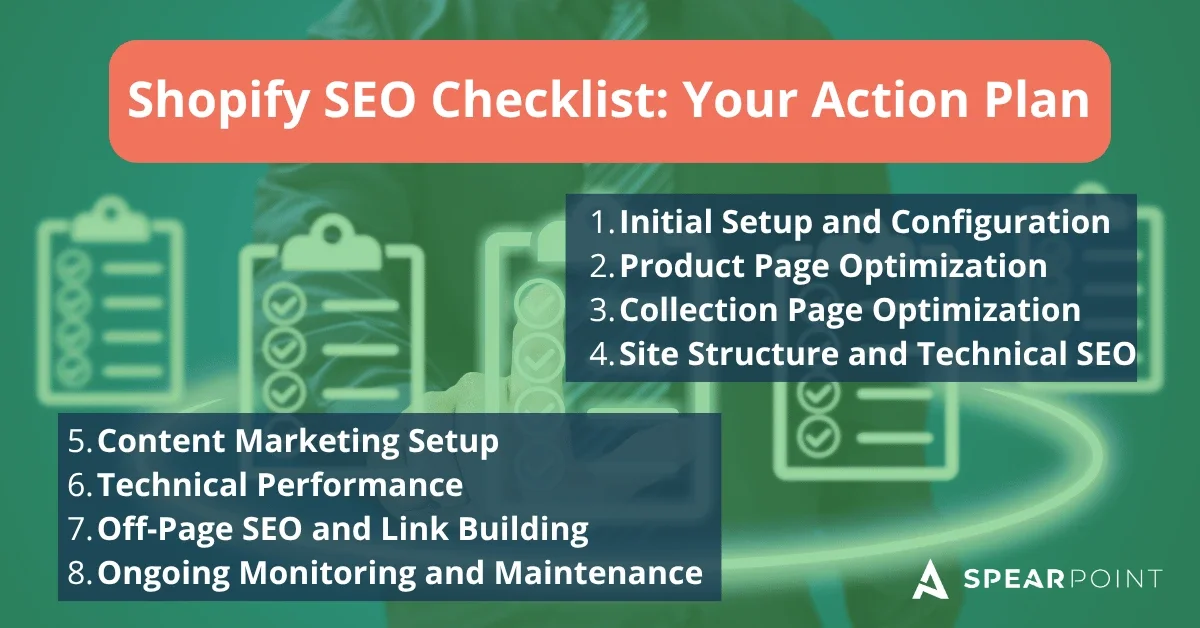
Shopify SEO Checklist: Your Action Plan
Successfully optimizing your Shopify store requires systematic execution across multiple areas. Use this comprehensive checklist to guide your SEO implementation.
Initial Setup and Configuration:
Connect Google Search Console and verify site ownership
Set up Google Analytics with ecommerce tracking enabled
Configure Shopify SEO settings including homepage title and meta description
Submit XML sitemap to Search Console and Bing Webmaster Tools
Establish baseline keyword list targeting products, collections, and content
Product Page Optimization:
Write unique, keyword-rich descriptions for all products (minimum 300 words)
Optimize product titles including primary keywords naturally
Create compelling meta titles and descriptions for every product
Customize product URLs with clean, keyword-focused slugs
Add descriptive alt text to all product images
Implement product schema markup including prices, ratings, and availability
Compress product images to reduce file sizes
Collection Page Optimization:
Write unique introductory content for all collection pages (minimum 40-60 words)
Optimize collection titles and meta descriptions with target keywords
Customize collection URLs with clean, descriptive paths
Add expanded content sections for buying guides or FAQs where relevant
Set up proper pagination for large collections
Create breadcrumb navigation showing site hierarchy
Site Structure and Technical SEO:
Build hierarchical navigation linking homepage to categories to products
Follow three-click rule ensuring all pages accessible within three clicks
Create strategic internal links from content to products and collections
Fix all broken links through redirects or link removal
Set up 301 redirects for any changed or discontinued product URLs
Content Marketing Setup:
Launch blog within Shopify's native platform
Plan content calendar targeting informational keywords
Write comprehensive blog posts optimized with target keywords
Link naturally from blog content to relevant products and collections
Create diverse content types including guides, tutorials, and roundups
Technical Performance:
Select lightweight, performance-optimized Shopify theme
Audit and remove unnecessary apps slowing site speed
Compress all images using tools or apps before uploading
Set up lazy loading for images below the fold
Achieve Core Web Vitals standards
Test mobile performance and fix any mobile usability issues
Off-Page SEO and Link Building:
Identify relevant directories and resource pages for submissions
Reach out to suppliers and vendors for reciprocal linking
Create linkable assets like tools, guides, or original research
Launch digital PR campaigns for newsworthy announcements
Monitor brand mentions and request backlinks for unlinked references
Ongoing Monitoring and Maintenance:
Review Google Search Console weekly for issues and opportunities
Track organic revenue, conversion rate, and engagement metrics in Analytics
Monitor keyword rankings for target terms monthly
Run comprehensive SEO audits quarterly using crawl tools
Update old content with fresh information and improved optimization
Test site speed monthly after any significant changes
This systematic approach to Shopify SEO builds sustainable organic growth through 2026 and beyond. Start with foundational elements like Search Console setup and product page optimization, then progressively tackle technical improvements and content marketing. Consistent execution across these areas separates thriving Shopify stores from those struggling to gain search visibility.
Remember that SEO delivers compounding returns over time. Initial months require significant effort with modest results, but investments accumulate creating momentum. Stores that persist through the building phase ultimately achieve traffic levels and ROI that dwarf paid advertising returns.
SEO for Shopify General FAQs
-
Yes. Shopify gives store owners a strong SEO foundation with automatically generated sitemaps, SSL, mobile-responsive themes, canonical tags, and clean URL structures. However, Shopify does not do everything for you. You still need to optimize product pages, collection pages, title tags, meta descriptions, images, internal links, site speed, and content strategy. The article makes this distinction clearly: Shopify handles many technical basics, but manual optimization is still required for stronger rankings.
-
The biggest SEO opportunities usually come from optimizing product pages and collection pages. Product pages need unique descriptions, keyword-focused titles, optimized metadata, clean URLs, image alt text, and product schema. Collection pages also need unique content, optimized titles and descriptions, helpful internal links, and clean navigation because they often rank for higher-volume category searches.
-
Start by writing unique product descriptions instead of copying manufacturer copy. Include the primary keyword naturally in the product title, URL, meta title, meta description, image file names, and alt text. Product pages should also include helpful details such as features, benefits, measurements, materials, care instructions, FAQs, reviews, and product schema when possible.
-
Yes. One of the biggest Shopify SEO mistakes is leaving collection pages as product grids with little or no written content. Collection pages should include a short intro, optimized metadata, clean URLs, internal links, and, when relevant, expanded sections such as buying guides, size guides, care instructions, or FAQs. This gives search engines more context and gives shoppers more confidence before they buy.
-
Site speed is very important for both rankings and conversions. Shopify stores can slow down because of heavy themes, oversized images, unnecessary apps, and excessive JavaScript. To improve performance, use a lightweight theme, compress images, remove apps you do not need, use lazy loading, and monitor Core Web Vitals in Google Search Console.
-
Shopify SEO apps can help with tasks like image compression, bulk metadata edits, redirects, audits, and structured data. However, apps should not replace strategy. Too many apps can slow down your site, so only use apps that solve a clear problem. Manual optimization is still important for product descriptions, collection content, internal linking, keyword strategy, and conversion-focused copy.
-
Blogging helps Shopify stores attract customers before they are ready to buy. Informational content like buying guides, how-to articles, product comparisons, tutorials, gift guides, and roundups can bring in search traffic and internally link visitors to relevant products and collections. This supports both organic visibility and product discovery.
-
Common Shopify SEO mistakes include using duplicate product descriptions, ignoring collection page content, failing to optimize title tags and meta descriptions, missing image alt text, installing too many apps, neglecting mobile performance, using poor internal linking, and failing to build backlinks or authority. Many of these issues are preventable with regular SEO audits and ongoing maintenance.
-
A full Shopify SEO audit should be completed at least quarterly. You should also review Google Search Console monthly for indexing issues, ranking changes, Core Web Vitals problems, and new keyword opportunities. Site speed should be tested regularly, especially after theme changes, app installs, product updates, or major content changes.
-
Shopify SEO usually takes several months to show meaningful results, especially in competitive ecommerce categories. Technical fixes and metadata improvements can help faster, but long-term growth comes from consistent product optimization, collection page improvements, content marketing, internal linking, backlinks, and ongoing measurement. The article emphasizes that SEO compounds over time rather than working like a one-time fix.
About the Author

Jesse McFarland is the founder of SpearPoint Marketing, a Colorado-based SEO company helping ecommerce and Shopify brands improve rankings, traffic, and conversions. With 17+ years of SEO and digital marketing experience, Jesse focuses on practical strategies that turn organic search visibility into measurable business growth.