
Website migrations are one of the scariest moments in SEO.
Right now, we are managing multiple client migrations. And every single time, the same questions come up:
Are we going to lose rankings?
Are we going to lose traffic?
Are leads going to dip?
Are we about to take three steps backwards before we move forward?
The honest answer?
You never know with 100 percent certainty until after launch.
That uncertainty is exactly why having a structured SEO website migration checklist matters.
Migrations can create massive upside.
They can also create chaos if handled poorly.
The difference is preparation.
Also Read:
Table of Contents Show

A SEO Agency Partner is
MORE Affordable than you think.
Discover how Our Customers Grow Their Brands, Outshine Competitors, and Attract New Business

Why SEO Website Migrations Are High Risk
An SEO site migration is not just a design update.
It often includes:
Pages being pruned
URLs changing
Site architecture shifting
Content being consolidated
Platforms being switched
Domains changing
Any one of these can significantly impact rankings. Combined, they can disrupt years of SEO equity if not handled correctly.
A migration is not just a development project.
It is not just a branding initiative.
It is a business risk management project.
Handled correctly, it protects rankings, traffic, and revenue.
Handled poorly, it can undo years of SEO progress in weeks.
How Long Should an SEO Website Migration Take?
One of the biggest misconceptions about SEO site migration is timeline.
Most businesses assume it is a two to four week project because that is how long the design or development may take.
In reality, a proper SEO migration plan typically takes:
Small sites under 100 pages: 4 to 6 weeks
Mid sized sites with 100 to 1,000 pages: 6 to 10 weeks
Large sites with 1,000 or more pages or ecommerce: 3 to 6 or more months
And that is just preparation and launch.
You also need to account for:
30 to 60 days of post launch monitoring
Ranking stabilization time
Technical fixes that surface after launch
From planning to stabilization, most SEO website migrations realistically span 60 to 120 or more days.
Why Migrations Take Longer Than Expected
A complete SEO site migration checklist includes:
Full URL crawls
Backlink audits
Revenue page protection
Redirect mapping
Quality assurance testing
Tracking validation
Post launch monitoring
Each of these steps takes time. Rushing them is what creates ranking drops.
A well executed migration feels slow and methodical before launch and calm after launch.
A rushed migration feels fast before launch and chaotic after launch.
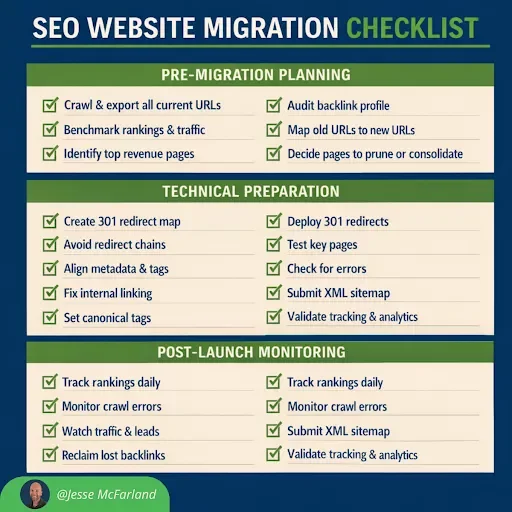
The SEO Website Migration Checklist We Use Before Every Launch
Below is the exact framework we follow for every SEO website migration.
Phase 1: Pre Migration Planning
This is where most of the real work happens. The more preparation you do here, the smoother launch will be.
Pre Migration Planning Checklist:
Crawl the entire existing site and export all URLs
Benchmark current rankings, traffic, leads, and top performing pages
Identify top revenue driving and high intent pages
Pull backlink data and identify high authority linked pages
Map every old URL to its new URL with no guessing later
Decide which pages are being pruned, consolidated, or rewritten
Preserve top performing content whenever possible
This phase builds your migration SEO foundation. Without it, you are making decisions without data.
One of the biggest mistakes in SEO site migration is pruning or rewriting pages without understanding which ones drive revenue or backlinks.
Protect revenue pages first. Always.
Phase 2: Technical Preparation
Once strategy is defined, technical execution becomes critical.
Technical SEO Website Migration Checklist:
Create a full 301 redirect map from old URL to new URL
Avoid redirect chains and loops
Maintain site hierarchy where possible
Keep metadata, title tags, and H1 structure aligned
Ensure internal linking structure is recreated or improved
Set canonical tags properly
Prepare updated XML sitemap
Confirm staging site is noindex or blocked from crawling
Redirect mapping is where migrations either succeed or fail.
Every old URL must have a destination.
No 404 surprises.
No figuring it out later.
When someone asks whether a domain migration will increase SEO traffic, the real answer is that it depends on whether authority is preserved during redirects.
A domain migration can increase SEO traffic long term, but only if executed correctly.
Phase 3: Launch Day Execution
Launch day is not the finish line. It is the beginning of the monitoring phase.
Note: Make sure you schedule this day when all stakeholders are available. This should be strategically planned and not rushed.
Launch Day SEO Site Migration Checklist:
Push 301 redirects live immediately
Remove any noindex tags from production
Test high priority pages manually
Crawl the new site to detect broken links and redirect errors
Validate analytics and conversion tracking
Submit updated XML sitemap in Google Search Console
Monitor server logs if possible
Many traffic drops happen not because of strategy, but because analytics tracking breaks or redirects are not properly deployed.
Verification immediately after launch is critical.
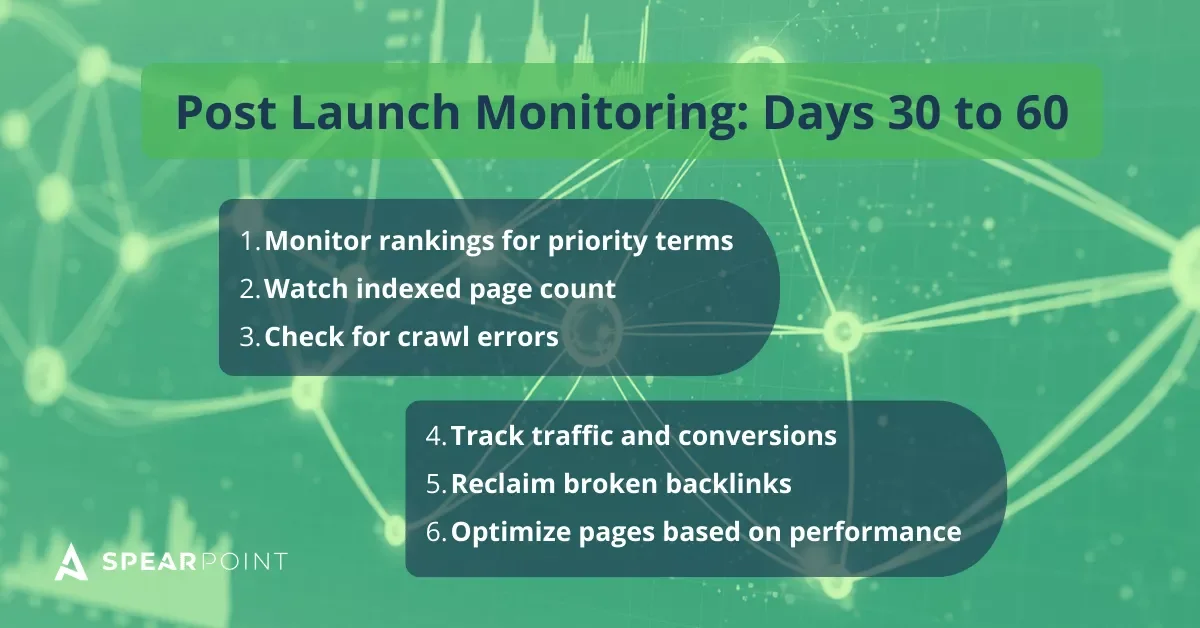
Phase 4: Post Launch Monitoring First 30 to 60 Days
This is where most businesses relax.
That is a mistake.
The first 30 to 60 days determine whether your migration SEO effort was successful.
Post Launch Monitoring Checklist:
Monitor rankings daily for priority terms
Watch indexed page count
Check for crawl errors in Google Search Console
Track traffic and conversions weekly
Reclaim broken backlinks
Optimize newly migrated pages based on early performance
Some fluctuation is normal.
Major drops usually signal a technical issue.
This monitoring window allows you to catch and fix problems before they compound.
Common Questions About SEO Migration
Will We Lose Rankings During an SEO Migration?
Some short term volatility is normal. Well executed migrations typically stabilize within 30 to 60 days.
Major losses usually come from:
Missing redirects
Content removal without consolidation
Internal linking breakdown
Indexation errors
Will Domain Migration Increase SEO Traffic?
A domain migration alone does not increase traffic.
However, if paired with:
Improved site architecture
Consolidated content
Better internal linking
Technical cleanup
It can create long term growth.
Traffic increases come from strategy and execution, not from switching domains alone.

Final Thoughts on Your SEO Website Migration Plan
An SEO website migration checklist is not optional.
It is protection.
Migrations can unlock growth, improve performance, and clean up years of technical debt.
Or they can cause ranking losses that take months to recover from.
The outcome depends entirely on preparation.
SEO is a long game. That is especially true after a website migration.
Even if you plan correctly, you may still see temporary ranking drops or traffic fluctuations in the beginning. That does not automatically mean the migration failed.
If your new site is structurally stronger, technically sound, better organized, and aligned with search intent and revenue goals, and you followed a clear SEO migration plan, the long term return will be worth it.
Short term volatility is possible.
Long term growth is the objective.
If you are planning an SEO site migration in 2026, involve SEO early, not after staging is complete.

Struggling with SEO & AEO?
Discover How SpearPoint Grows Brands—and Drives Conversions
About the Author

Jesse McFarland is the Founder of SpearPoint Marketing, a Denver based SEO agency focused on driving measurable growth through high intent search strategy. With over 18 years of digital marketing experience across agency and in house leadership roles, Jesse specializes in strategic SEO, content strategy, and revenue focused organic growth.
About Jesse. LinkedIn