You search for your gym on Google and can't find it. Meanwhile, the gym down the street shows up every time.
Frustrating? Absolutely. But before you start changing everything, figure out what's actually missing: your Google Business Profile, your website, or your rankings for the searches that bring in new members.
Those are different problems, and they need different fixes.
Quick answer
If your gym isn't showing up on Google, check your Business Profile's verification and status, look for duplicate or outdated listings, and confirm Google can index your website. If your gym appears by name but not for searches like “gyms near me,” focus on local rankings and competition.
This checklist helps you work through each possibility. For the broader strategy behind attracting more members through search, explore our fitness and gym SEO services.
TL;DR

Check your Google Business Profile and website separately. One can appear while the other doesn't.
Confirm a suspension in your account instead of assuming one from a missing search result.
Resolve inaccurate information and duplicate profiles before making unnecessary changes.
Appearing for your gym's name doesn't mean you'll rank for competitive local searches.
Measure calls, trial bookings, and membership inquiries alongside visibility.
Table of Contents Show
Which Situation Sounds Like Yours?
| What you're seeing | Where to start |
|---|---|
| Your gym doesn't appear when you search its name and city. | Check verification and profile status in Sections 1 and 2. |
| Your gym used to appear and has suddenly disappeared. | Check profile notifications in Section 2. If your website disappeared, go to Section 7. |
| An old name, address, or duplicate listing appears. | Review Section 3. |
| Your gym appears by name but not for "gyms near me." | Review the local ranking advice in Section 5. |
| Your gym just opened or recently moved. | Check verification first, then Section 6. |
| Your profile appears on Maps, but your website is missing from search. | Start with Section 7, then review your website content in Section 4. |
1. Is Your Google Business Profile Claimed and Verified?
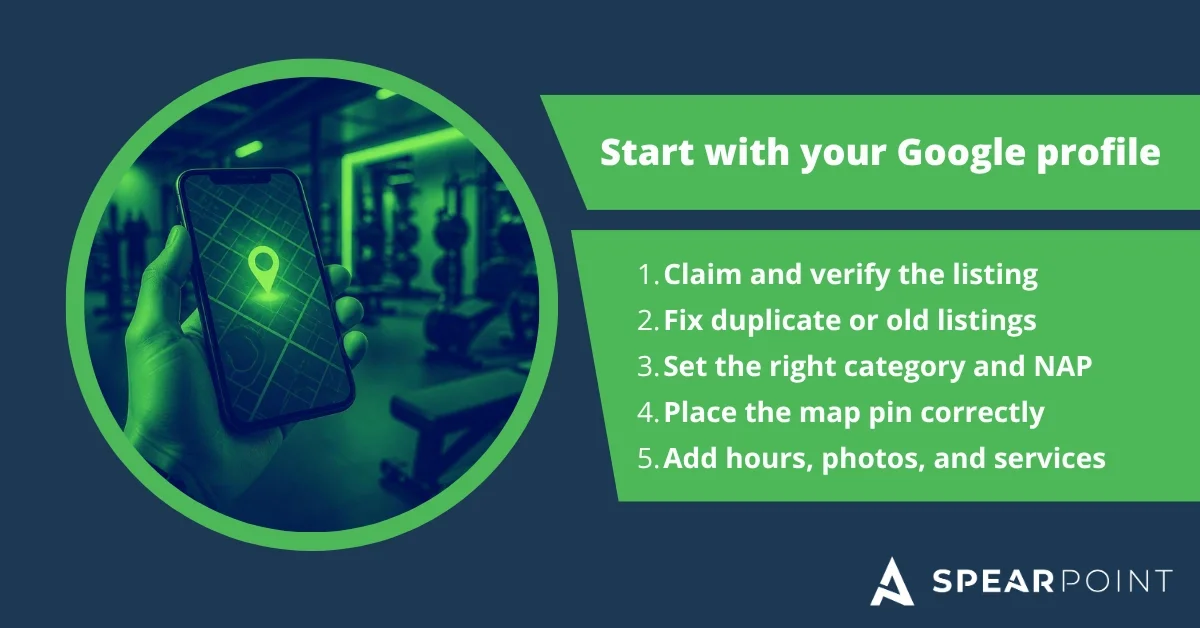
Start by signing into the Google account that manages your gym's profile. Search for your business name and city, or “my business,” to access its management options.
A public listing can exist without you managing it. Likewise, an “Own this business?” link alone isn't a reliable way to confirm its verification status.
What to check
Are you signed into the correct account?
Does Google ask you to verify or reverify the business?
Is another owner, former employee, or agency managing the existing profile?
What to do
Claim the existing profile or request access, then complete the verification method Google offers. Available methods vary and may include video, phone, email, or mail. Follow Google's Business Profile verification instructions.
Don't create another listing just because you can't access the original.
2. Is Your Profile Suspended or Disabled?
If your gym suddenly disappears, check for a suspension or account restriction. A missing search result alone doesn't prove that either happened.
What to check:
Review the messages in your Business Profile account and Google's notification emails. If there is a restriction, review the reason and linked policy in the appeals tool.
What to do:
Correct information that doesn't meet Google's guidelines.
Gather supporting documents, such as business registration or utility bills showing the same business name and address.
Track the appeal through the existing case instead of creating a replacement profile.
Reinstatement isn't guaranteed, and there's no reliable deadline for recovery. Fix the underlying issue before appealing.

3. Do You Have Duplicate or Outdated Listings?
A move, rebrand, or management change can leave your gym with conflicting listings. Potential members may find an old address or contact a phone number you no longer use.
What to check:
Search Google Maps for your current name, previous name, address, and phone number. Note which profiles represent the same business and which belong to genuinely separate businesses.
What to do:
Keep the accurate profile for your gym and use Google's duplicate-profile guidance to resolve the others. Depending on the situation, that may mean requesting access, correcting a duplicate designation, or asking for a merge.
If your gym moved, update the existing profile's address. Don't automatically mark your business permanently closed or create a new profile. A rebrand may require a different approach depending on how much the business changed.
4. Are Your Category and Business Details Accurate?
Your profile should describe the business you actually operate. A personal training studio, boxing gym, and full-service fitness center may need different primary categories.
What to check:
Does your primary category match your main business?
Are your name, address, phone number, hours, and website current?
Does the map pin point to the correct location?
Does your website clearly explain your services and where members can find you?
What to do
Choose the most accurate available category and add relevant secondary categories where appropriate. Use your real business name rather than adding phrases like “best gym in Denver” to chase keywords. Refer to Google's business representation guidelines.
Keep your name, address, and phone number, often called NAP, accurate across your website and major listings. Prioritize meaningful conflicts, such as an old address or disconnected number, over minor formatting differences like “Street” versus “St.”
On your website, give visitors clear location details, directions, and service descriptions. Prospective members shouldn't have to hunt for your address or guess what kind of training you offer.
For a more detailed profile walkthrough, use our Google Business Profile optimization checklist for gyms.
5. Showing Up by Name, But Not for “Gyms Near Me”
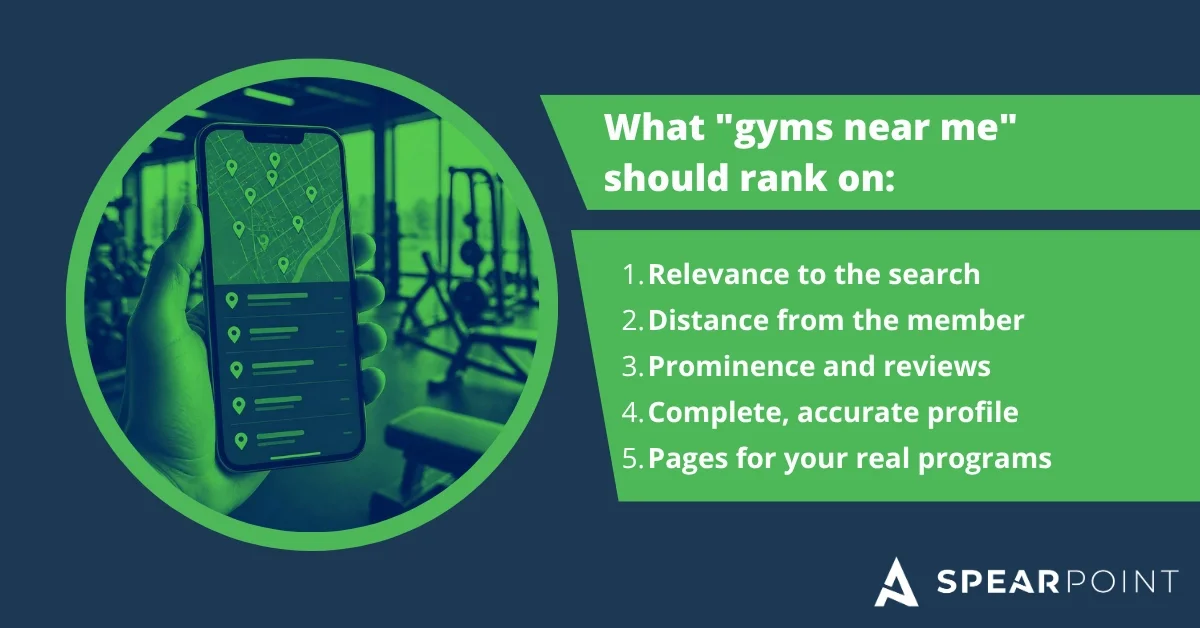
If people can find your profile by its exact name, you have a different starting point from a gym with a missing listing. The next question is why nearby prospects see competitors first.
Google explains that local results depend mainly on relevance, distance, and prominence. Your business information, proximity to the searcher, reviews, and links can all matter. See Google's explanation of local ranking factors.
What to check
Compare the businesses appearing for the specific services you sell. A strength training gym shouldn't evaluate its entire search presence using only the broad term “gym.”
Try searches such as:
“Personal training in [city]”
“Small group training in [neighborhood]”
“Strength training gym near me”
Record the search location along with the results. One search from your own phone doesn't show the full picture of what prospects see.
What to do
Build useful pages around your real programs, with clear explanations of who they're for and how to get started. Our gym keyword research guide can help you choose the right search terms.
Ask members for honest feedback and keep your profile useful with accurate hours, current photos, and relevant updates. Treat posts as a way to communicate offers and information, rather than a guaranteed ranking boost.
6. Is Your Gym or Profile Brand New?
A new profile needs to complete Google's verification process. A new website needs to be discovered and indexed. These are separate steps.
What to check
Confirm whether verification is complete, still under review, or waiting for action from you. For the website, check Search Console as described in Section 7.
Google says verification reviews can take up to five business days after you complete the required steps, although some take longer. That review period is not a promise that you'll rank for “gyms near me” by a specific date. See Google's verification guidance.
What to do
Complete outstanding requests, link your profile to the correct website, and make sure visitors can find your location and contact information. If the process stalls, follow the support options shown in your account.
Avoid repeatedly changing major business details simply to see whether it makes the listing appear.
7. Can Google Crawl and Index Your Website?

Your Google Business Profile can appear even when your website isn't indexed. If it's the website that's missing, investigate it separately.
What to check
Use Google Search Console's URL Inspection tool to inspect your homepage and important service pages. Check their indexing status and run a live test to investigate current access problems.
A site:yourdomain.com search can provide a quick clue, but it isn't a complete indexing report.
What to do
Ask your developer or SEO provider to check for:
A leftover noindex instruction from development.
A robots.txt rule preventing Google from crawling important pages.
Password protection, server errors, or broken URLs.
Redirects or canonical tags pointing to the wrong page.
Important pages missing from your site's navigation and internal links.
After fixing the issue, request indexing for affected URLs and submit an accurate sitemap. Google notes that crawling can take days to weeks, and requesting it doesn't guarantee indexing. Follow its guidance on requesting a recrawl.
If the drop followed a website redesign, domain change, or migration, tell your developer when it started. That detail can help narrow the investigation.
8. Do You Have Relevant Local Citations and Backlinks?
Once your profile and website are accessible, check how your gym appears elsewhere online.
A citation is a reference to your business details. A backlink is a link from another website to yours. They aren't the same thing, and neither replaces fixing a suspended profile or blocked website.
What to check
Look for inaccurate listings and useful local opportunities. Are nearby gyms featured in community resources, local news, or organizations your gym also participates in?
What to do
Correct outdated information on established directories.
Keep existing chamber of commerce or business association profiles current.
Make sure legitimate community partnerships point people to the right website.
Share newsworthy gym events or community projects with relevant local publications.
Choose opportunities that make sense for your business and potential members. A long spreadsheet of unrelated directory submissions isn't the goal.

Three Checks to Start With If Your Gym Just Disappeared
If you only have ten minutes, start here:
1. Check your profile status. Look for verification requests, suspensions, or other account notifications.
2. Check the public information. Confirm your address, phone number, website link, and whether an outdated listing appears instead.
3. Check your website. Make sure it loads, then inspect the homepage in Search Console if it's missing from search.
Write down what changed recently and when you first noticed the problem. A timeline is more useful than changing several settings at once and hoping something works.
FAQ
-
Start with your Business Profile's verification and restriction status. Then check for duplicate listings, an incorrect address, or an inaccurate map pin. If the profile appears by name but not for broader searches, investigate local rankings rather than assuming the listing is missing.
-
There isn't one timeline for every gym. Profile verification, website indexing, and competitive rankings are separate processes. Check which step is incomplete before deciding whether to wait or take action.
-
It may be reinstated if the business is eligible and the issues are resolved. Correct the problem and submit an appeal with relevant evidence. Don't create another profile for the same business while the appeal is under review.
-
Your Maps listing and website are separate search assets. Check whether Google has indexed your website. If it has, review whether the pages match the services and location people search for, and assess the competition for those terms.
-
Finding a specific business by name is different from choosing among nearby gyms. Your location, relevance to the search, and prominence influence local results. Appearing by name doesn't guarantee a top position for broader terms.
-
You can have an eligible Business Profile without a website, but a website gives prospects more room to evaluate your programs, coaches, pricing, and membership options. It also gives you a place to turn search visits into trial bookings and inquiries.
-
No. Advertising can buy visibility in paid placements, but you cannot pay Google for better local organic rankings. Google makes that distinction in its local ranking guidance.
-
Monitor profile interactions and your website's search performance, then connect that activity to inquiries, booked consultations, trial visits, and memberships. More impressions are useful, but the business outcome matters most.
Conclusion: Find the Problem Before Changing Everything
If your gym isn't showing up on Google, start by identifying what's missing. Check your Business Profile's status, confirm your business information, and make sure Google can access and index your website.
Once those basics are in place, focus on the searches that matter to your gym and the pages that help prospects take the next step. Better visibility should lead somewhere: a call, a trial session, a consultation, or a new membership.
That's the focus of our fitness and gym SEO services: helping the right people find your business and making it easier for them to become members.
Need Help Finding What's Holding Your Gym Back?
SpearPoint Marketing's free SEO and website audit is manually created by an SEO professional. We review keywords, competitors, website performance, backlinks, AI Search and AEO visibility, and opportunities to turn more visitors into leads.
Request your free SEO and AI Search audit, then schedule your free 30-minute consultation. We'll walk through the findings and help you understand what to prioritize.
About the Author

Jesse McFarland, MBA, is the founder of SpearPoint Marketing. He helps businesses connect SEO, AI Search, and conversion optimization to leads and revenue. Learn more about Jesse and SpearPoint Marketing or his LinkedIn.